Free Tool – Strategic Defense Academy
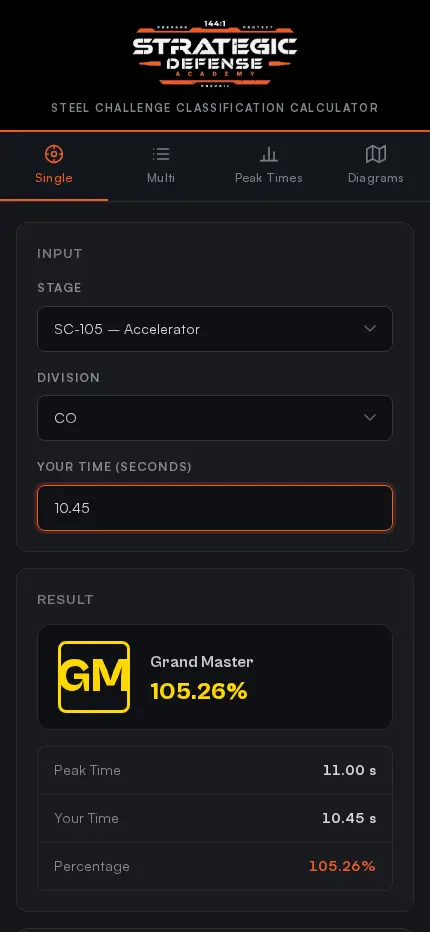
If you’ve ever shot a Steel Challenge match and wondered exactly what class you’re shooting at — or how close you are to bumping up — you’ve probably done the math in your head, on a napkin, or not at all. We built this free tool to make that instant. The Steel Challenge Classification Calculator covers all 8 SCSA stages, every division, and now includes target-time breakdowns so you always know exactly what you’re chasing.
What Is the Steel Challenge Classification Calculator?
The Steel Challenge Classification Calculator is a free web app built specifically for SCSA competitors. You enter your total stage time, select your stage and division, and it instantly tells you your classification percentage and class, from D all the way up to Grand Master.
It lives at strategicdefenseacademy.com/steel-challenge-classification-calculator and works on any phone, tablet, or desktop browser with no download or account required.
How SCSA Classification Works
Steel Challenge classification is percentage-based. Every stage has an official Peak Time, the GM-level benchmark established by SCSA. Your classification percentage is:
Percentage = Peak Time ÷ Your Time × 100
Your class is determined by where that percentage falls:
Bullet list:
Grand Master (GM) — 95% and above
Master (M) — 85–94%
A Class — 75–84%
B Class — 60–74%
C Class — 40–59%
D Class — below 40%
The calculator handles all of this automatically. Just enter your time.
How to Use It: Single Stage Calculator
The Single tab is where most shooters start. It calculates your classification percentage for one stage at a time, perfect for checking your time right after a stage at a match.
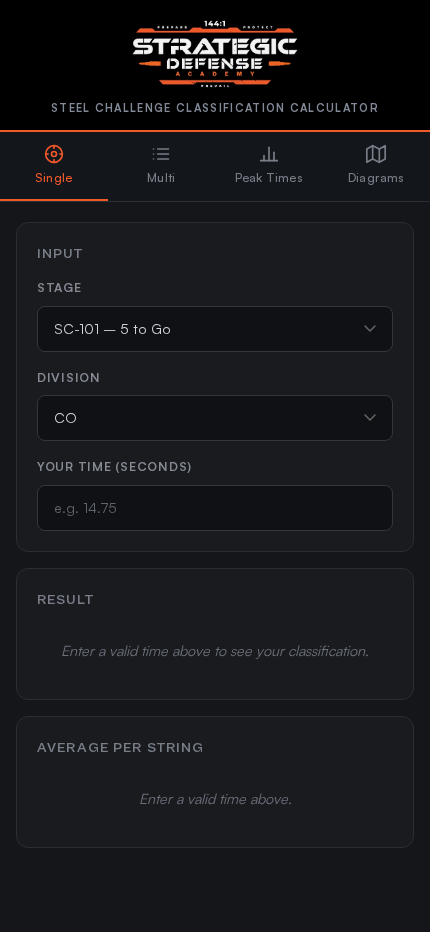
Step 1 – Select your stage
Open the Stage dropdown and pick the stage you just shot, C-101 through SC-108. Each stage shows its name (5 to Go, Showdown, Smoke & Hope, etc.) alongside the stage number.
Step 2 – Select your division
Pick your division from the Division dropdown. Every SCSA division is supported: CO, OPN, ISR, LTD, PROD, SS, PCCI, PCCO, RFPI, RFPO, RFRI, RFRO, OSR, and LO. Peak times differ by division, so selecting the right one matters.
Step 3 – Enter your total stage time
Type your total stage time in seconds into the Your Time field. This is the combined time across all your strings, not your average per string. The result updates instantly as you type.
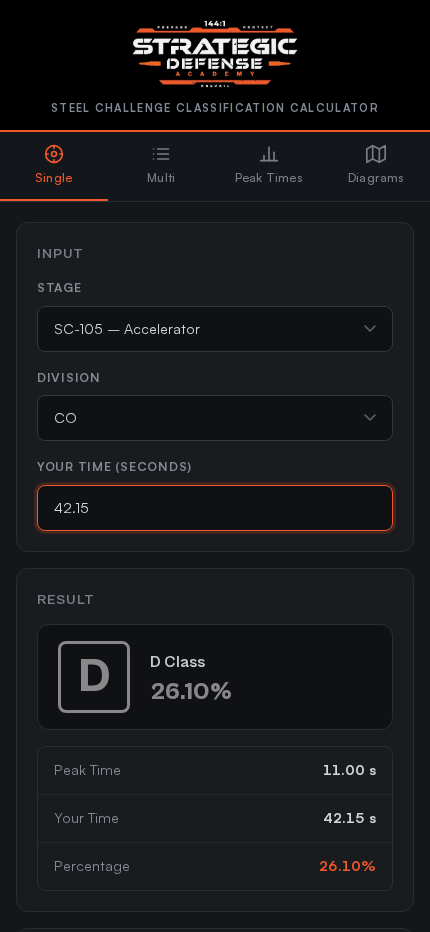
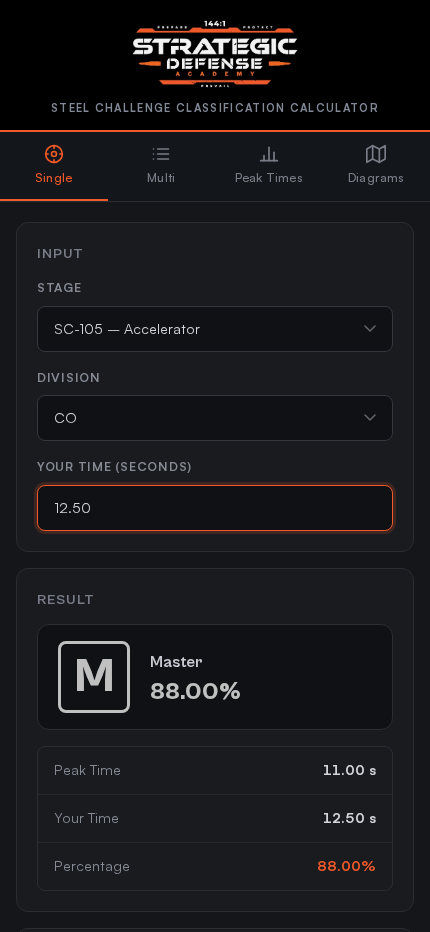
The result card shows your classification badge, your percentage, the stage peak time, and your average time per string. Change the division and the result updates immediately — useful if you shoot multiple divisions.
Multi-Stage Classification
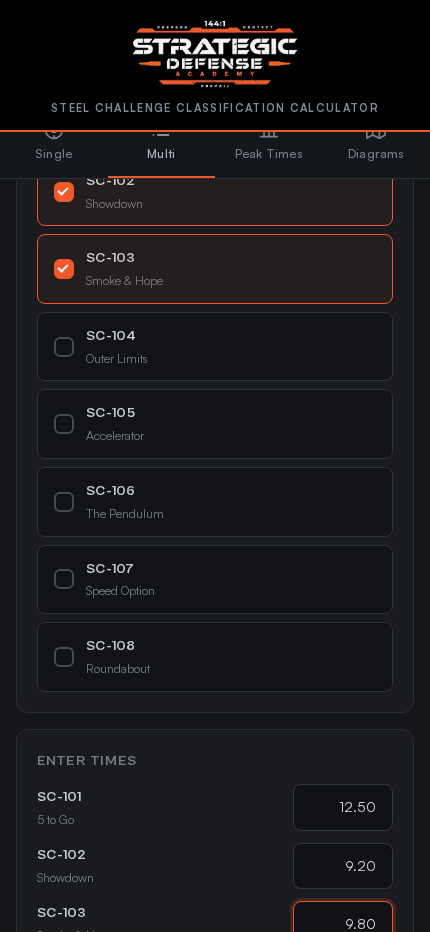
The Multi tab lets you calculate your overall classification across multiple stages at once. This is how SCSA determines your official classification, by averaging your best percentages across stages.
Check the stages you’ve shot, enter a time for each, and the calculator shows your combined classification. You can mix and match any combination of stages, useful when you’ve shot some stages but not others, or when you’re projecting what a future run would do for your class.
Peak Times Reference
The Peak Times tab shows you the GM benchmark time for every stage in your selected division. This is the time you’d need to match to shoot at 100% — useful for setting training goals and understanding how competitive the top times actually are.
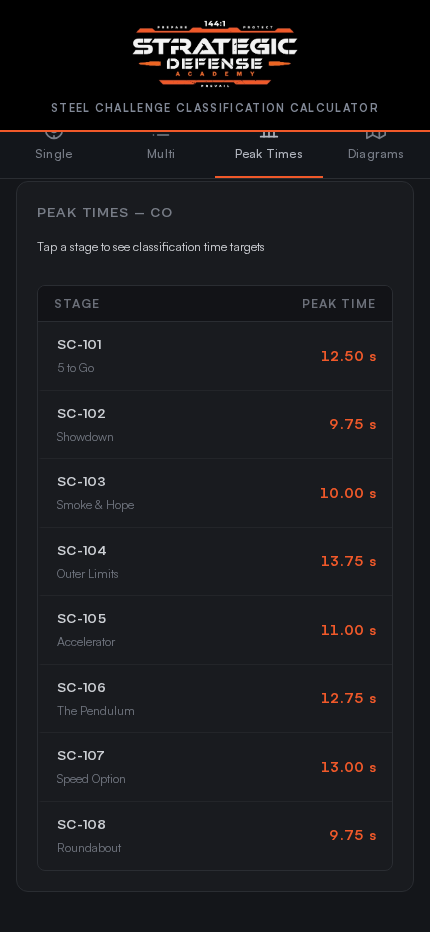
Tap any stage row and a classification breakdown card appears below it. It shows the slowest total time that still earns each class — GM, M, A, B, and C, along with the equivalent per-string average. Change the division and it recalculates instantly.
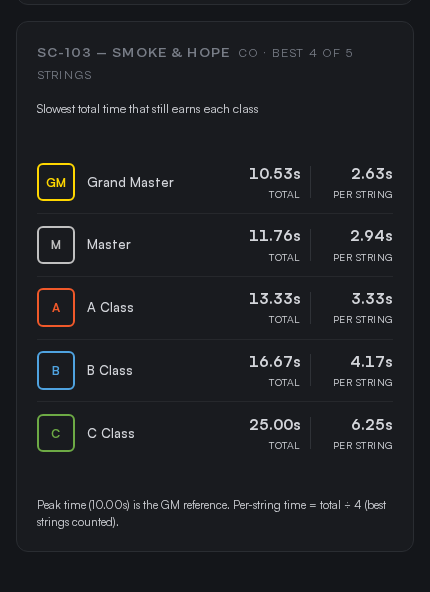
Use the Peak Times breakdown to set concrete string-by-string goals in dry fire. Instead of thinking “I need to shoot faster,” you know exactly: “I need to average 2.94s per string on Smoke & Hope to make Master in CO.”
Stage Diagrams
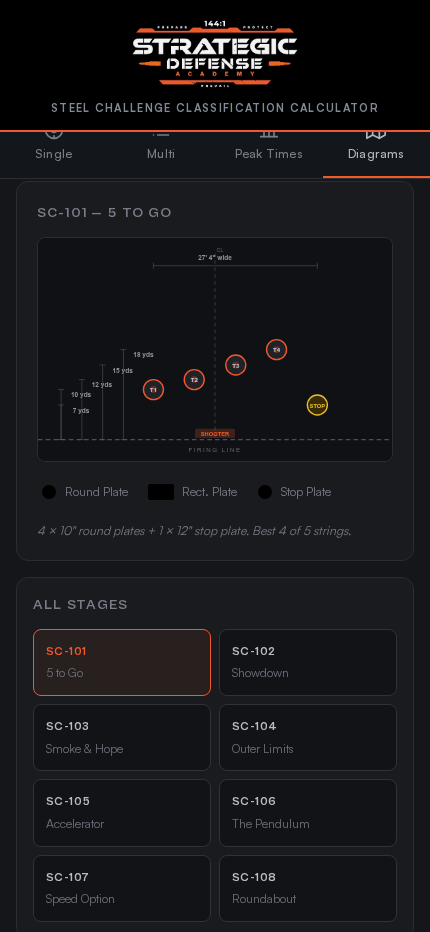
The Diagrams tab gives you an accurate overhead view of every stage, target positions, distances, plate types, stop plate placement, and shooting box locations. All diagrams are built from official SCSA specifications.
This is especially useful if you’re new to a stage or want to visualize your plate order before stepping on the line. SC-102 Showdown shows both shooting boxes; SC-104 Outer Limits shows all three.
Who Is This For?
The calculator is built for any SCSA competitor, from a first-time D-class shooter trying to understand the classification system, to a Master shooter tracking how close they are to GM. Here’s how different shooters are using it:
- New shooters — understand what classification means and see realistic time targets for your first match
- Mid-level competitors — identify which stages are dragging your average down and set specific goals
- Advanced shooters — use the per-string breakdown as a dry-fire benchmark to bridge the gap to the next class
- Multi-division shooters — instantly switch divisions to compare peak times and classification targets
Try It Free
The Steel Challenge Classification Calculator is completely free, no account, no download.